One product, set up four ways
How an agency, a product team, an operations team and a team moving from another tool would each use DeliverGoals. These are descriptions of how you would use it, not customer stories; the examples come from Northwind Studio, the fictional demo workspace.
Client projects, each on its own board
An agency runs several client projects at once with the same few people. The questions are always the same: where does each project stand, who is overloaded, and what do we tell the client this week.
How you would set it up
Create a client for each customer and a project for each engagement, marked as a client project, with its own code and colour. Add only the people working on it as members. Use labels for the disciplines (design, content, engineering) and milestones for the dates the client cares about.
What you would use
- A board per engagement, with the list view for bulk changes after a client call
- The timeline, to show a client the dates and milestones
- Daily stand-ups, and a share link so the client can read one day’s update without an account
- My tasks, for people who work across several clients
- The team brief each morning: who needs a hand, what is late, and what is holding other work up
- A goal such as “Keep every client project inside its budget”, with check-ins from its owner
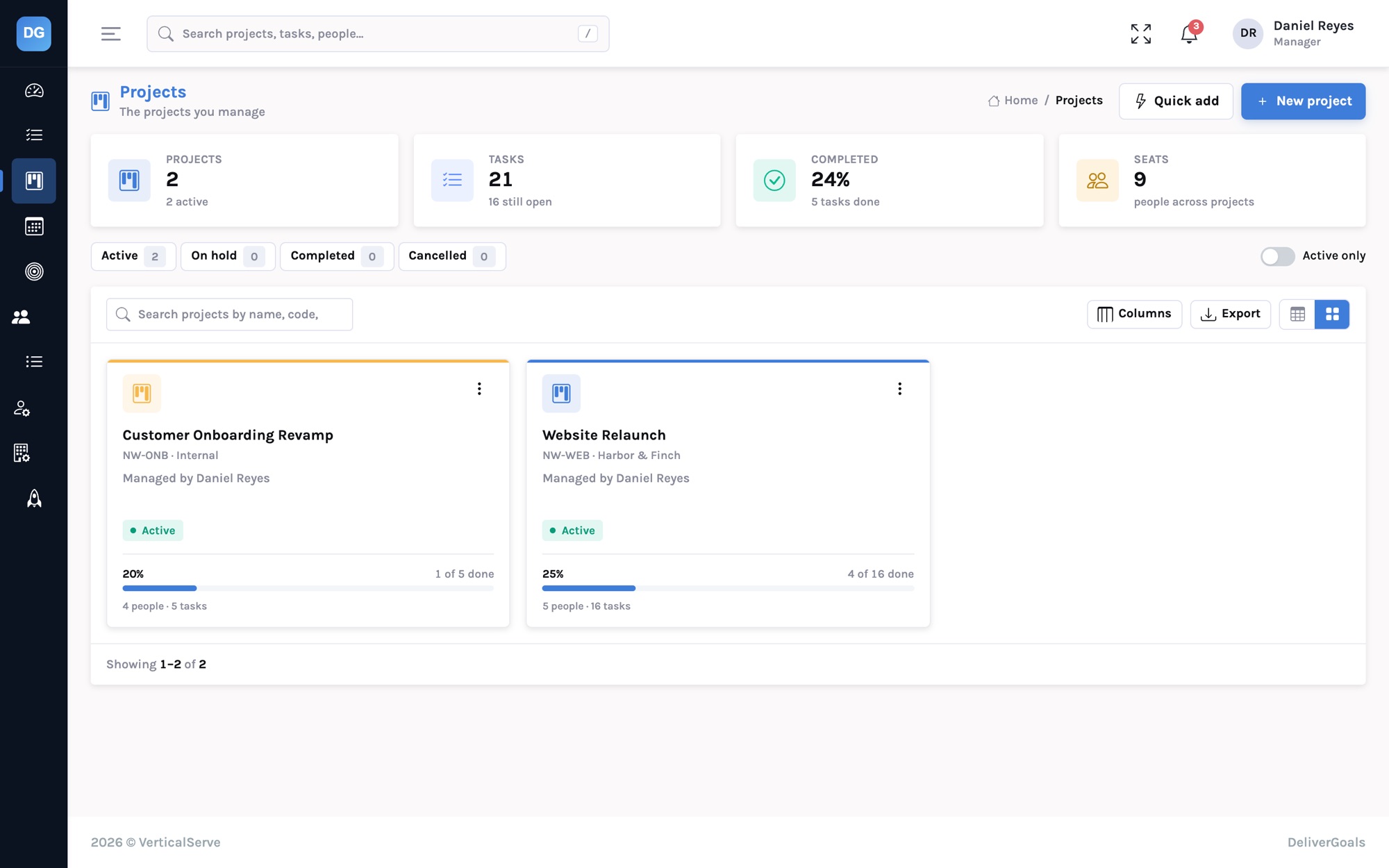
In the demo: Website Relaunch (NW-WEB) is a client project for Harbor & Finch with five people, 16 tasks and two milestones: the beta on 22 November and the public launch on 6 December.
Know before you start: Time is logged on tasks and reported per person and project with billable time; there are no rates, invoices or weekly approvals, so billing stays in your finance tool. Clients can join as guests who see only their project; the stand-up share link covers one day for anyone else.
Internal projects tied to company goals
A product team has a roadmap, a handful of projects and a quarter’s goals. The gap is usually between the goal on a slide and the work on the board.
How you would set it up
Create a project per initiative and link it to the goal it delivers. Give goals with a number behind them key results; let the others take their progress from the tasks done. Use story points and priority on tasks, dependencies for what blocks what, and the milestone flag for releases.
What you would use
- Goals with key results or linked projects, and a check-in from each owner
- Board columns for your flow, such as To do, In progress, In review and Done
- Dependencies on tasks: blocks and blocked by
- The timeline with milestones for release dates
- Plan with AI to draft a new initiative’s board from a brief, and the AI assistant to generate subtasks
- Goal forecasts, which say whether a goal will land on time at the pace the work is really moving
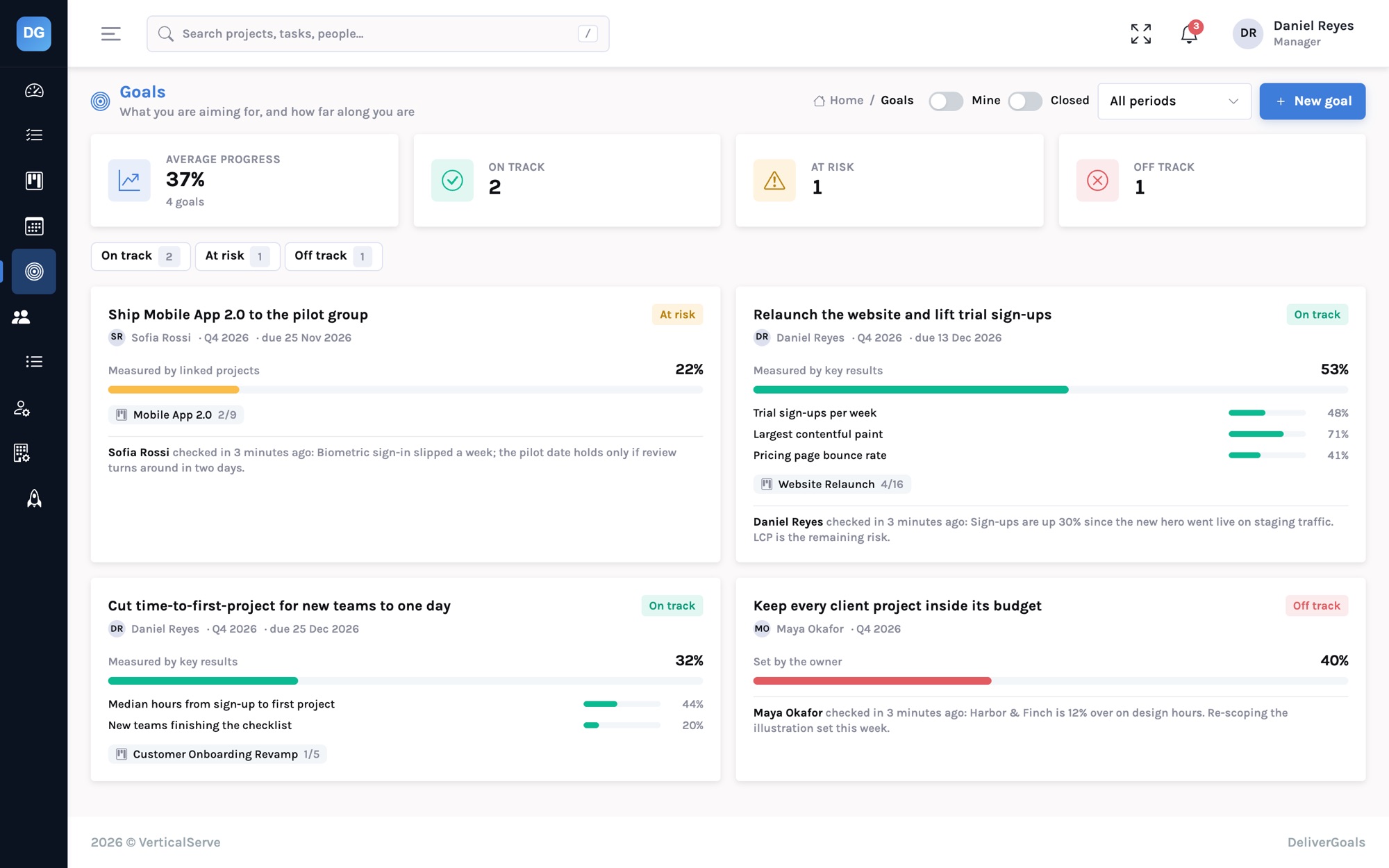
In the demo: “Ship Mobile App 2.0 to the pilot group” is measured by its linked project, Mobile App 2.0: 2 of 9 tasks are done, so the goal reads 22%, and its owner has marked it at risk.
Know before you start: There are no sprints or burndown charts. GitHub commits and pull requests link to tasks, but there is no GitLab and no two-way Jira sync.
Many small tasks, many owners, dates that matter
Operations work is less a project than a steady flow: requests, checks, hand-offs. What matters is that every task has an owner and a date, and that late ones are obvious.
How you would set it up
Create an internal project per area of work, with columns for your stages. Assign every task and give it a due date. People work from My tasks; the manager works from the calendar, the team dashboard and the overdue count in reports.
What you would use
- My tasks, grouped Overdue, Due today, Next 7 days, Later and No date
- The calendar across projects, to see the month
- Subtasks as a checklist for a repeatable procedure
- The team dashboard for open tasks per person
- The activity log, with export, as a record of what was done and by whom
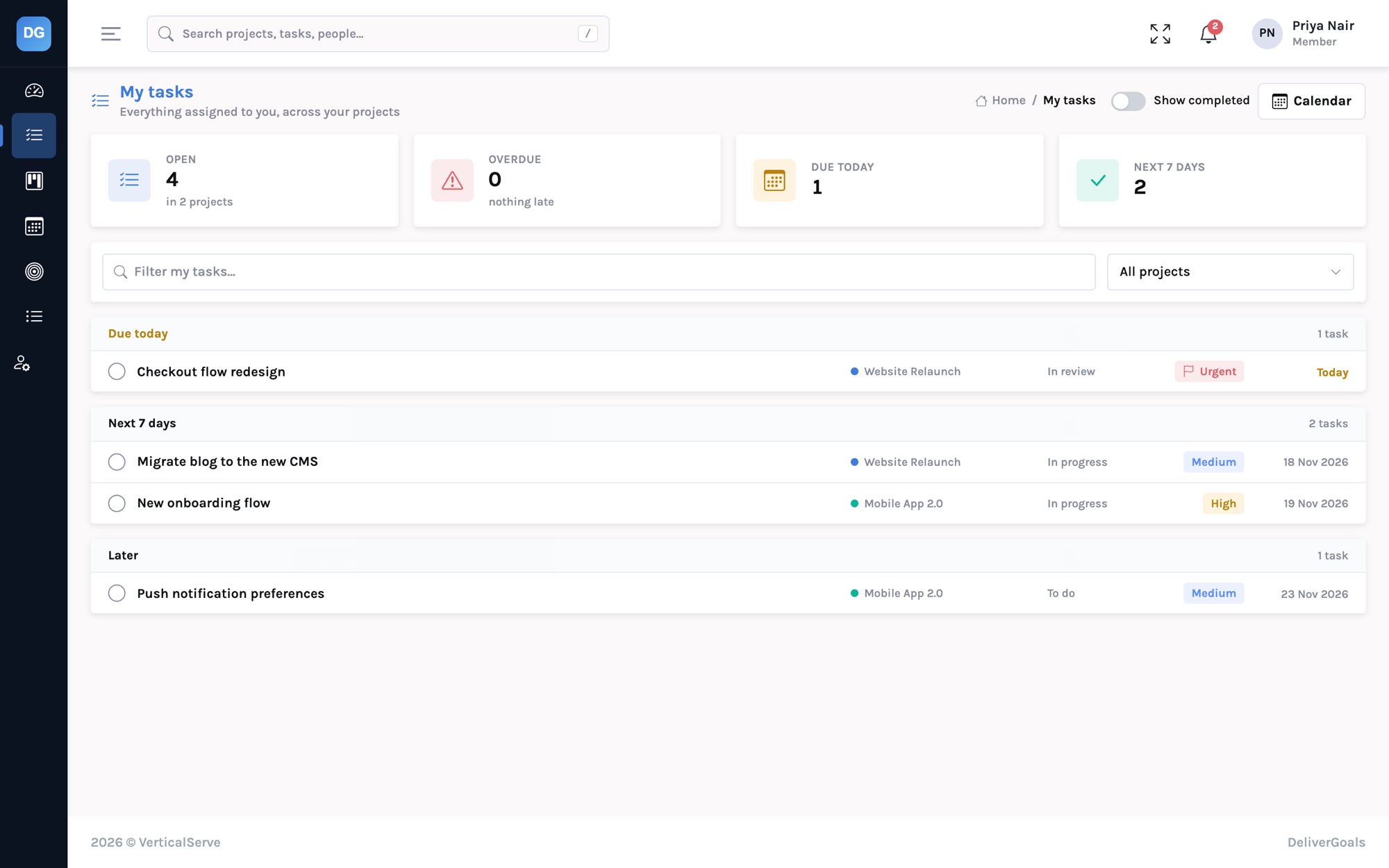
In the demo: Priya Nair’s My tasks shows four open tasks in two projects, one of them due today, without her opening either board.
Know before you start: Recurring tasks and six automation recipes cover repeat work; there is no free-form rule builder. Due work shows up in My tasks, on the calendar and in each person’s morning email digest.
Moving from Asana, Trello, Jira or a spreadsheet
Most teams that try DeliverGoals already keep their work somewhere else. Retyping a project is the reason most trials stall, so the work has to come with them.
How you would set it up
Invite the team first, so the importer can match people by email. Export each active project from the old tool and import it: review the columns and the first tasks, match people, then import. Start with one pilot project, run it for a few days, then bring the rest and set the old tool to read-only.
What you would use
- Import from an Asana CSV, a Trello JSON board, a Jira CSV or any task spreadsheet
- The review step, which shows what will be created and what will not come across
- People matched to colleagues by email or name; nobody is invited or created by the import
- Add to a new project, or to an existing one you manage
- Recent imports, to see what has been brought over and by whom
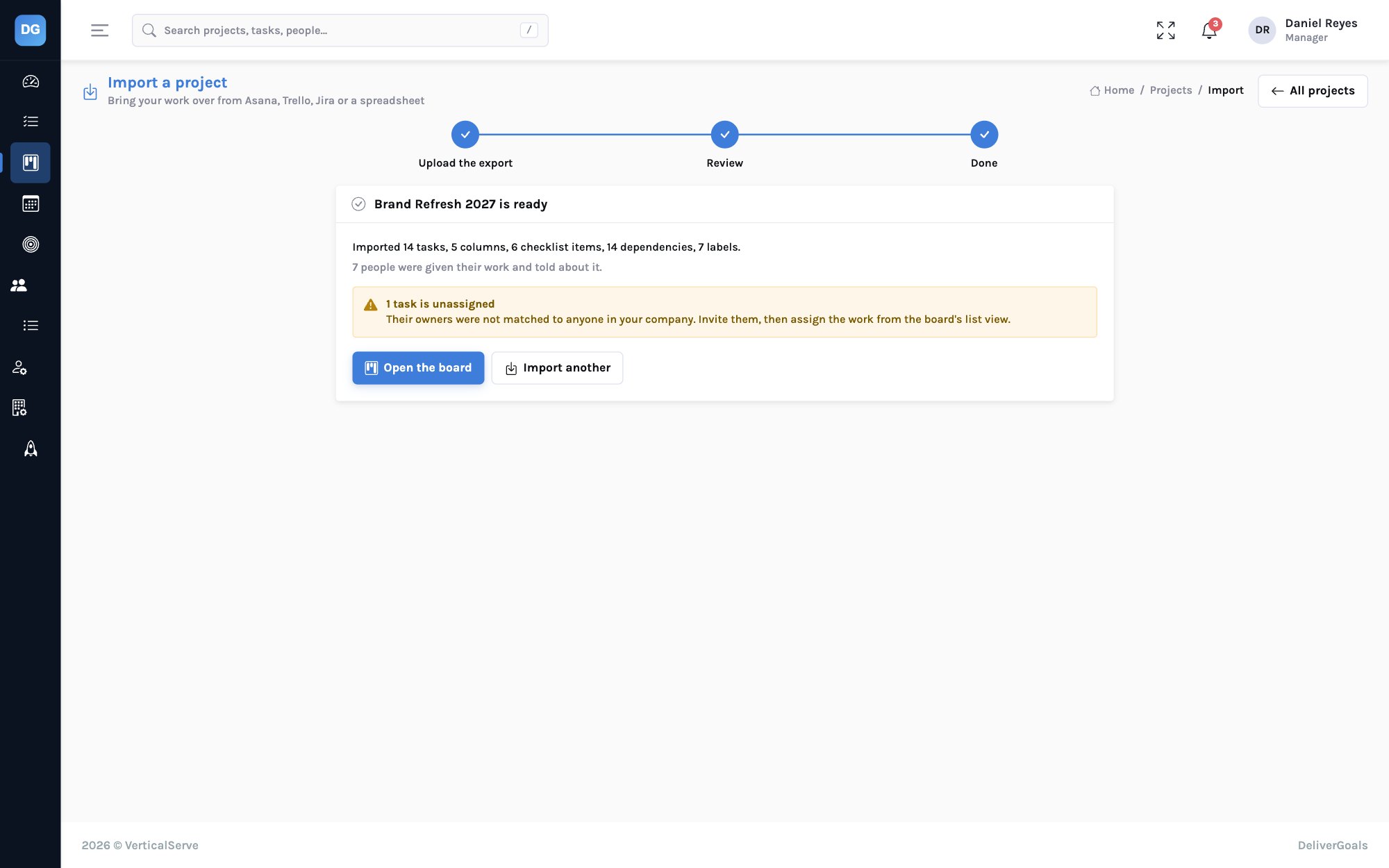
In the demo: Brand Refresh 2027 came from an Asana export: 14 tasks in four sections, seven of eight people matched by email, and one task left for an outside freelancer who is not in the workspace.
Know before you start: Import is a one-time copy from a file, not a sync. Attachments, sprints, automations and most custom fields do not come across; the review lists what was left out.