
Projects, goals and stand-ups, in one web app
DeliverGoals is a Kanban project-management tool for agencies and consultancies with client projects and for product teams with internal ones. This page lists what is in it, and what is not.
Ten areas
Each page shows the screen from the demo workspace, how the feature works, and where it stops.
Boards, lists & tasks
Columns with drag-and-drop cards and quick add; a list grouped by column with inline edits, bulk actions and export; tasks with subtasks, comments, attachments, labels, dependencies and history.
Learn moreTimeline, calendar & My tasks
A timeline of bars and milestone diamonds with a today line; a month calendar of due dates across projects; My tasks grouped by urgency.
Learn moreGoals
Company goals with an owner, a period and a target date; progress from key results, from linked projects, or set by the owner; check-ins with a status and a history.
Learn moreStand-ups & reports
Daily written stand-ups with a team board and a share link; a team dashboard; reports on completion, throughput and overdue work; an activity log with export.
Learn moreAI planning & team brief
Plan with AI turns a brief into a draft plan you edit and approve. The team brief and blocker list rank what is stuck; goals forecast their finish from the real pace. A per-project assistant and subtask generator.
Learn moreTime tracking
A timer in the top bar and time logged on tasks, estimates against actuals, each person’s week, and a time report for managers with billable time and export.
Learn moreWorkload & portfolio
Each person’s capacity against estimated work for six weeks, and every project on one roadmap with the reason it is at risk.
Learn moreAutomation & integrations
Six automation recipes, public request forms, Slack and Teams channels, a Slack command, GitHub links, API keys and webhooks.
Learn moreImport & migration
Bring a project over from Asana (CSV), Trello (JSON), Jira (CSV) or any task spreadsheet. Review what was read and match people to colleagues before anything is created.
Learn morePeople & security
Admin, manager and member roles; project membership; invitation links; Google or password sign-in; company isolation, short-lived tokens, lockout and rate limits.
Learn moreWhere the work lives
A project is client work or internal work, with a colour, a code, a manager, members and a status: active, on hold, completed or cancelled. Clients and divisions keep them grouped.
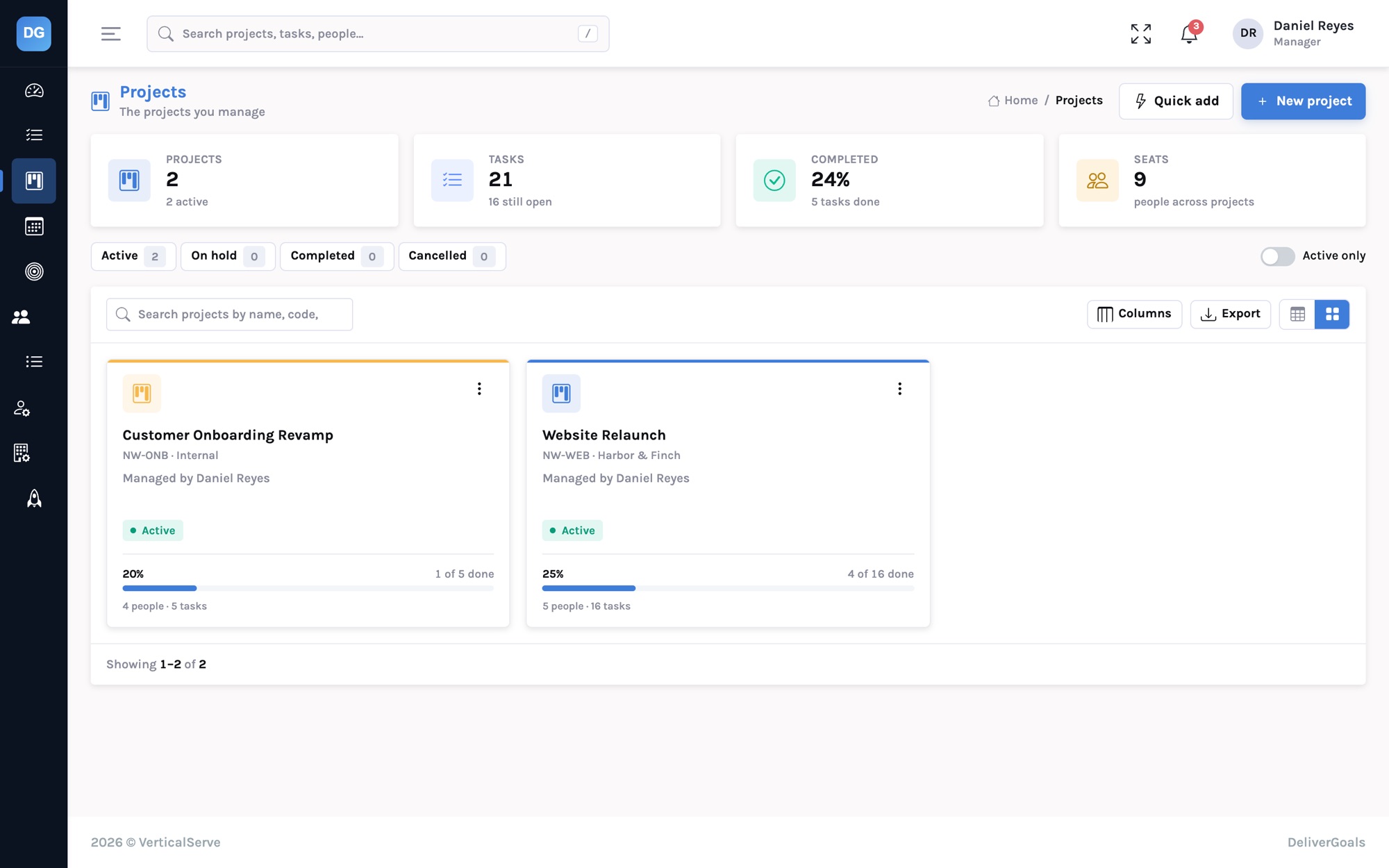
Goals, projects, tasks and the people on them
Search and notifications
Global search
One box for projects, tasks and people. Press / or Ctrl/⌘-K from anywhere to open it.
Notifications and email
A notification when a task is assigned to you, you are mentioned, someone comments on your task, a task is completed (to the project manager), you are added to a project, or a goal gets a check-in. Choose which are also emailed, and get a morning digest of what is due.
Phone browsers
The pages are responsive and work in a phone’s browser. There are no native mobile apps.