
Boards for the work, goals that follow it, and a daily stand-up
A Kanban project-management web app for teams running client or internal projects. Plan on a board, a list or a timeline; goals take their progress from the tasks that get done; everyone posts a short stand-up each day.
- Board, list and timeline
- Goals measured from the work
- Daily stand-ups built in
- 14-day trial, up to 10 people
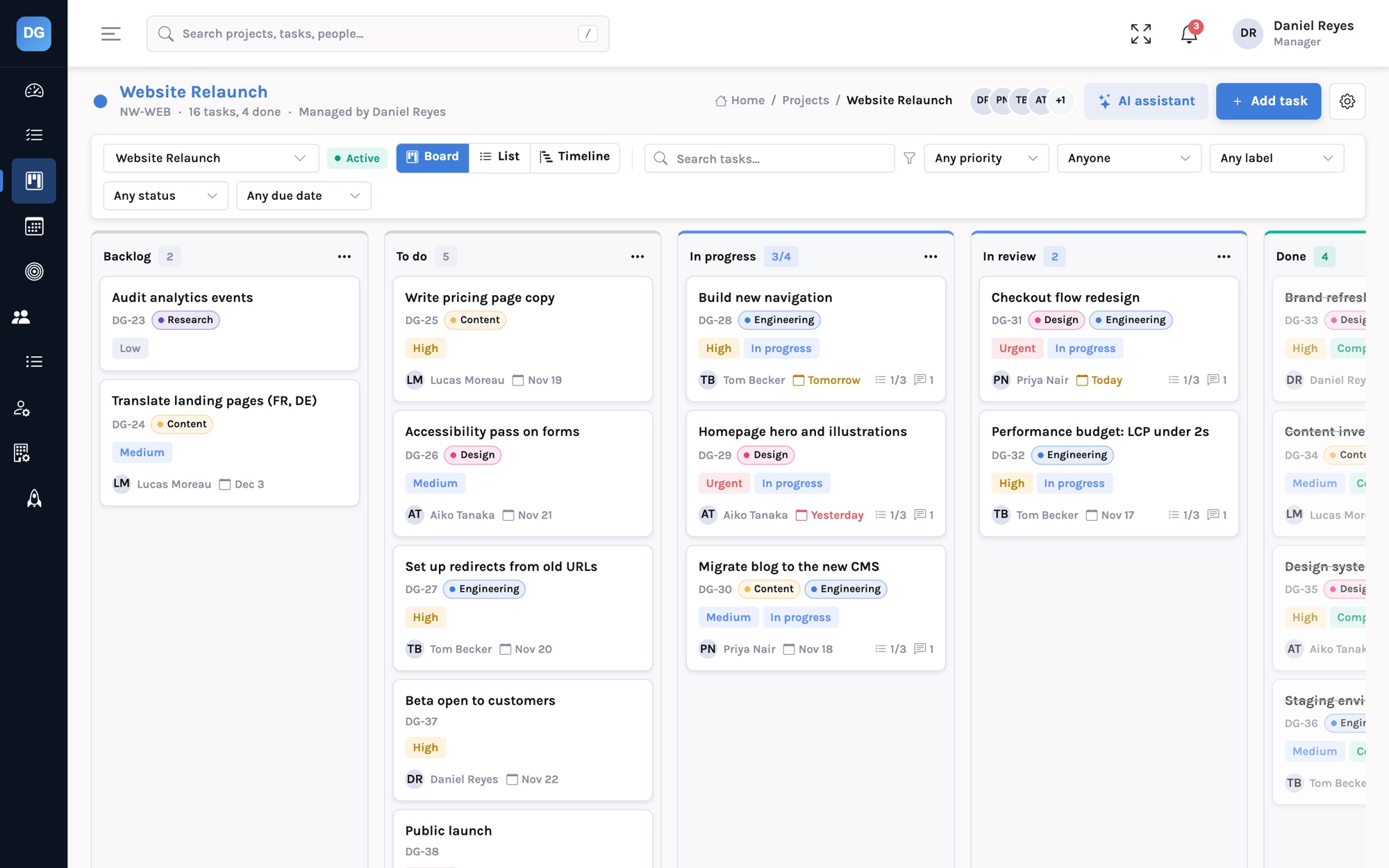
Three screens from the demo workspace
Northwind Studio is a fictional studio with seven people, one client project and two internal ones. These are unretouched screens of the product running on that data.
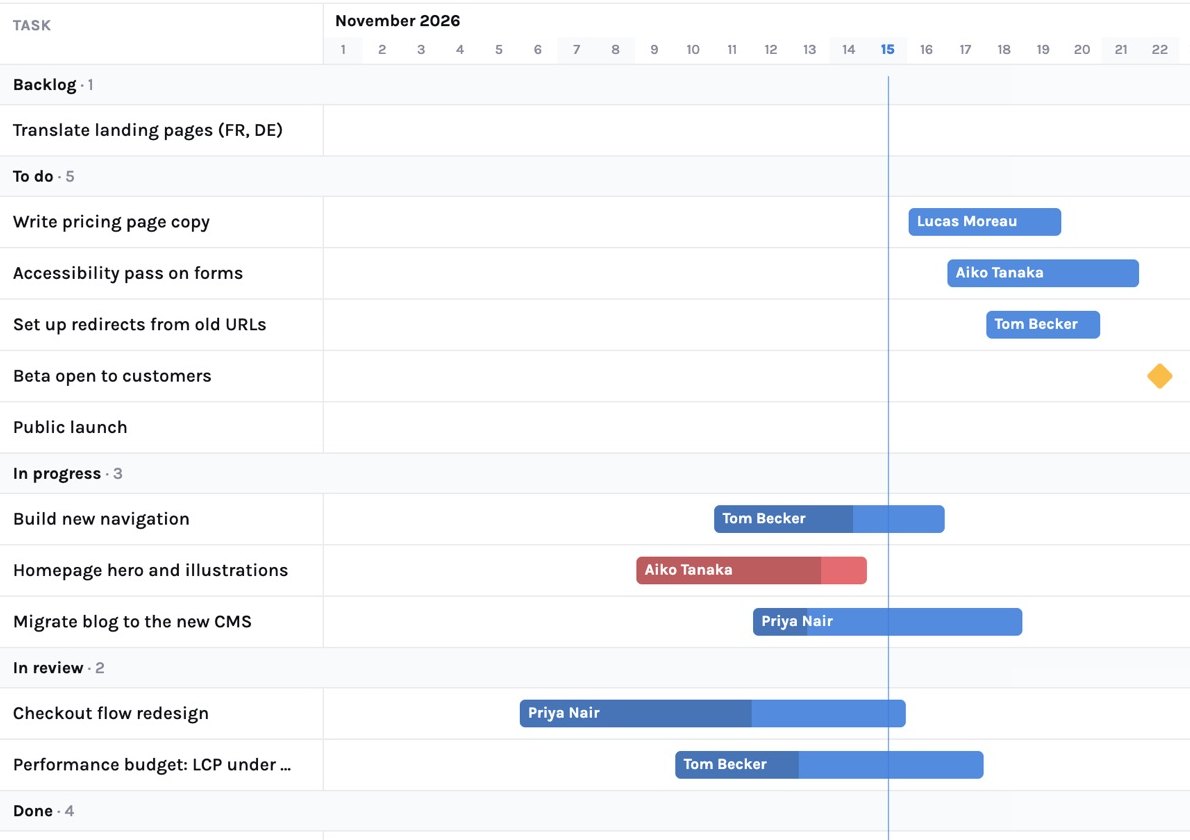
A plan you can read at a glance
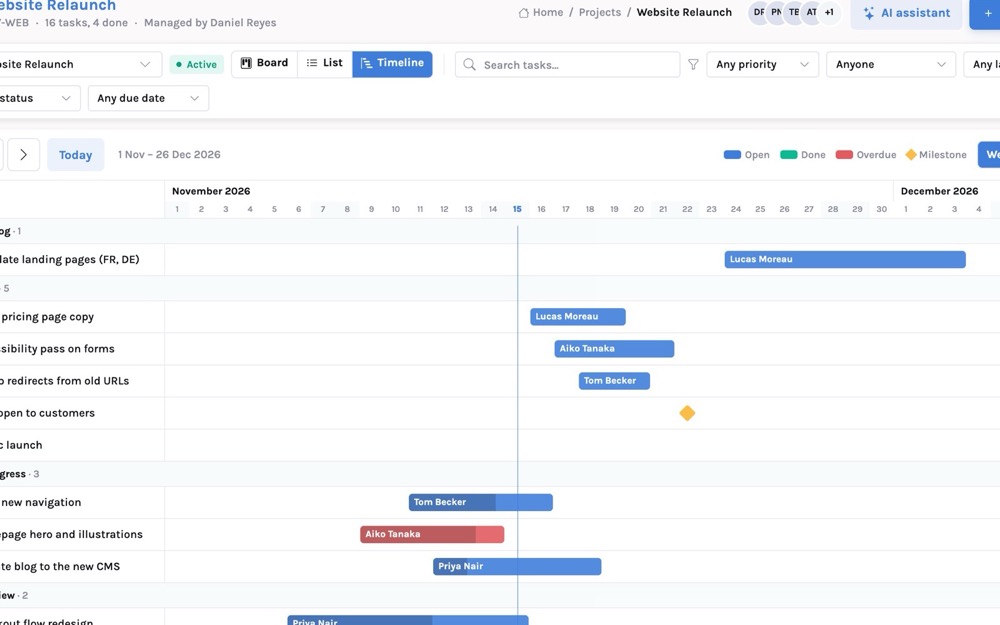
The Website Relaunch on a timeline: one bar is overdue, and a diamond marks the beta on 22 November, two weeks before the public launch.
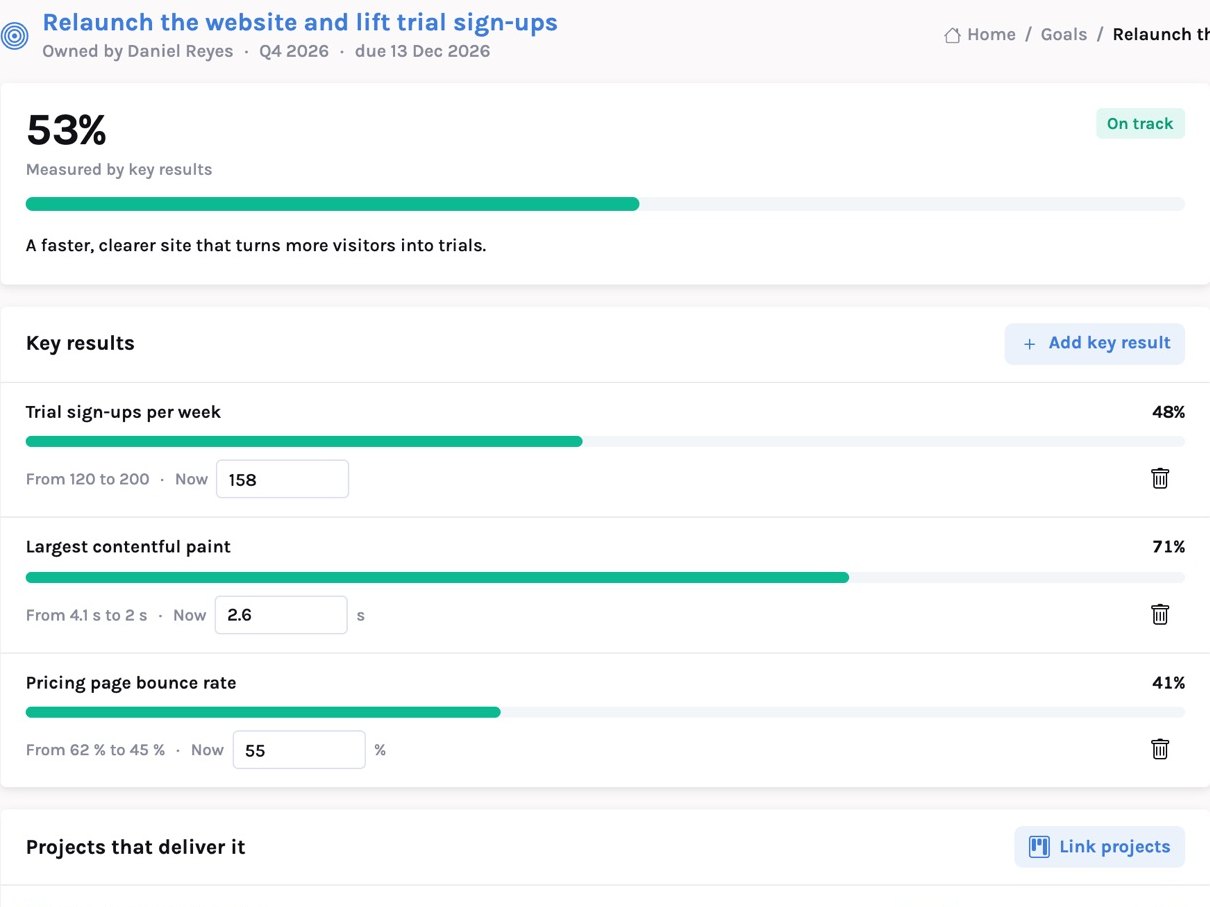
A goal with numbers behind it
“Relaunch the website and lift trial sign-ups” stands at 53%, worked out from three key results, with the project that delivers it underneath.
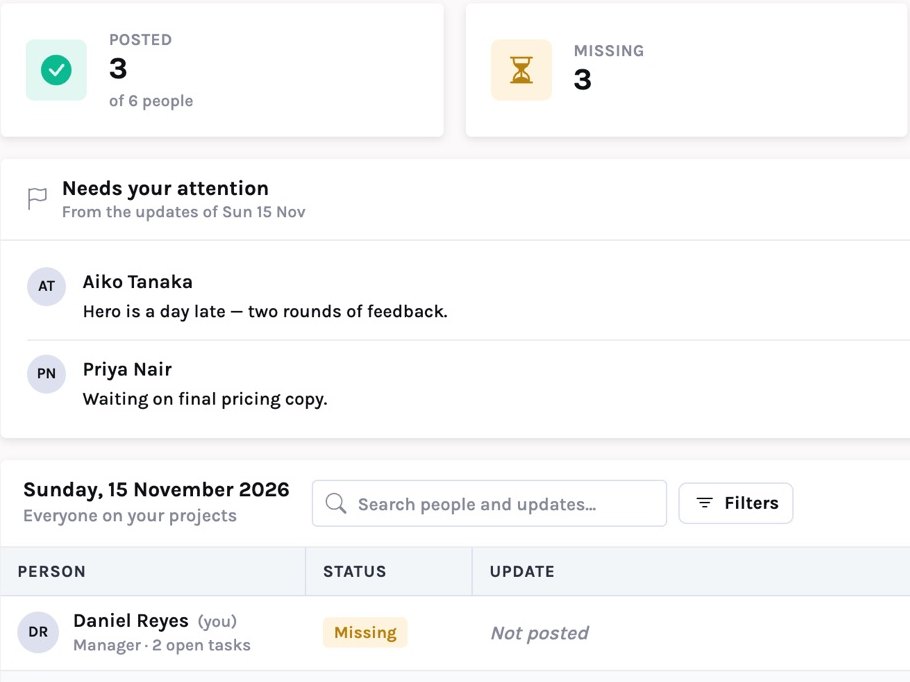
Who needs a hand today
Three of six people have posted. Two updates mention a blocker, so they are pulled to the top of the manager’s board.
Six things DeliverGoals holds to
A project tool earns its place when people open it without being told to. These are the choices that follow from that.
One project, three views
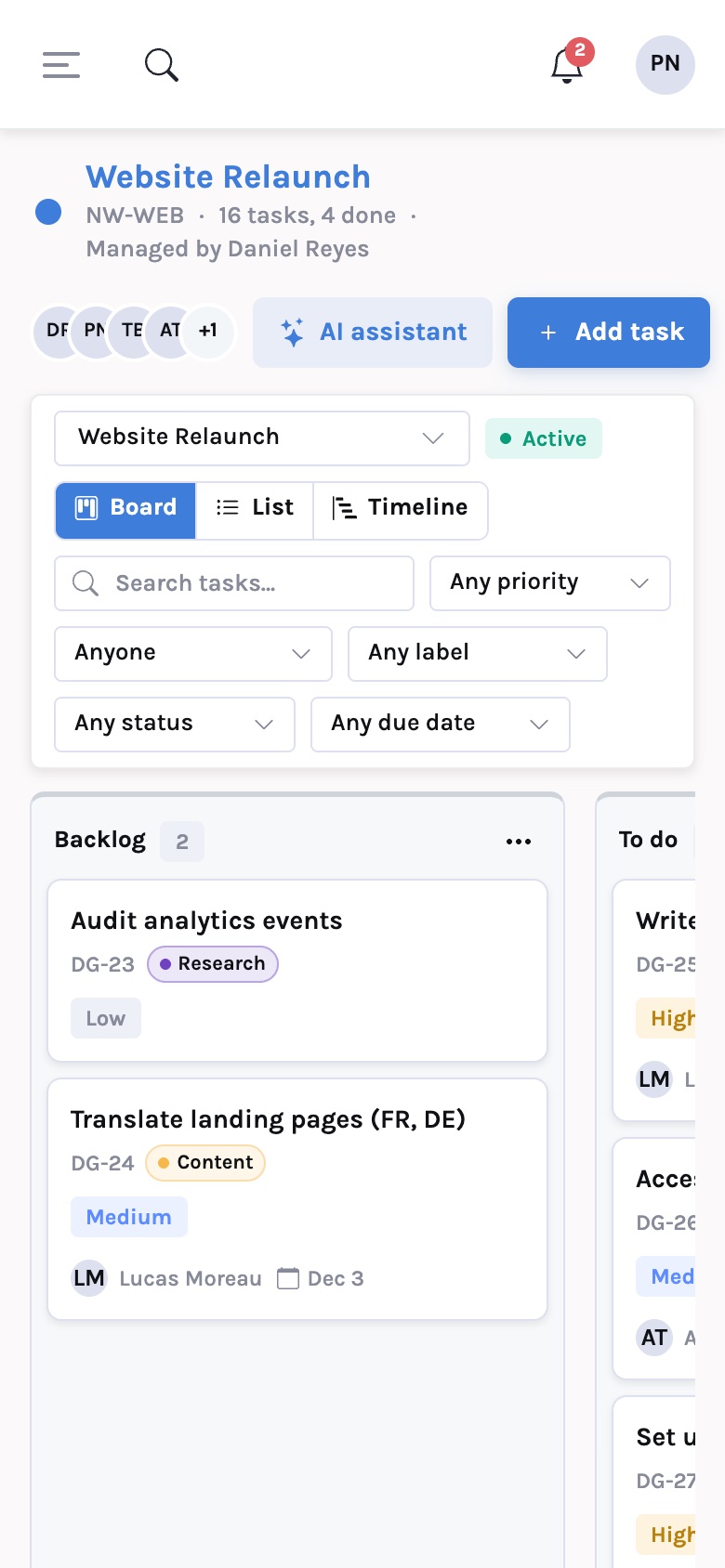
The board, the list and the timeline show the same tasks. Change a due date in one and it has changed in the others.
Goals come from the work
Link a goal to projects and its progress is the share of their tasks that are done. Nobody has to remember to update a percentage.
The stand-up is built in
Yesterday, today and blockers are written where the tasks are, and the manager’s board shows who has not posted.
One list per person
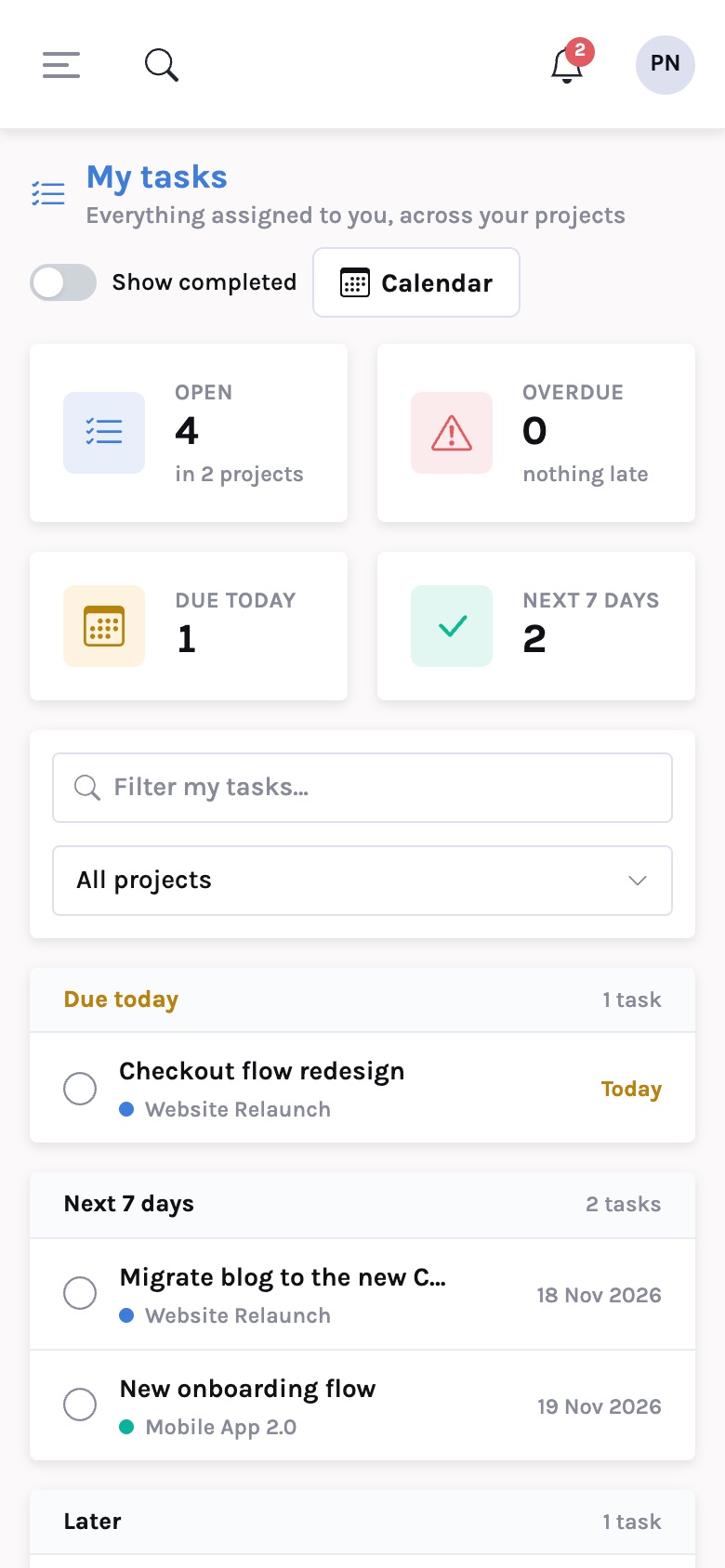
My tasks gathers everything assigned to you across projects and sorts it by when it is due, so the day starts with one page.
Every request is checked
Each company’s data is isolated, and every request is checked against the company and the project membership of the person making it.
Bring your work with you
Import projects from Asana, Trello, Jira or a spreadsheet, review them, and match people before anything is created. See how it compares.
What is in DeliverGoals
Twelve areas, each with real screens and a list of limits.
Boards, lists & tasks
Columns with drag-and-drop cards, a list view with inline edits and bulk actions, and tasks with subtasks, comments, attachments, labels and dependencies.
Learn moreTimeline, calendar & My tasks
Bars from start date to due date with milestones and a today line; a month calendar across projects; one list of everything assigned to you.
Learn moreGoals
Company goals with an owner and a target date, measured by key results, by the tasks done in linked projects, or set by the owner, with check-ins.
Learn moreStand-ups & reports
Yesterday, today and blockers from each person; a team board of who posted and who needs a hand; team dashboard, reports and the activity log.
Learn moreAI planning & assistant
Turn a brief into a draft plan you approve; change tasks in plain English; generate subtasks. Nothing is created without you.
Learn moreTeam brief & blockers
Each morning: who posted, who needs a hand, what is late, what is stuck, and which goals are heading for a miss at today’s pace.
Learn moreTime tracking
A timer in the top bar, time on tasks against estimates, each person’s week, and a time report for managers.
Learn moreWorkload & portfolio
Capacity against planned hours for six weeks, and every project on one roadmap with the reason it is at risk.
Learn moreAutomation & integrations
Six recipes, request forms, recurring tasks, Slack, Teams and GitHub, API keys and webhooks.
Learn moreGuests & clients
Invite a client to their project only: they read, comment, add files and complete their own tasks.
Learn moreImport & migration
Bring a project over from Asana, Trello, Jira or a spreadsheet. Review it and match people before anything is created.
Learn morePeople & security
Admin, manager and member roles, project membership, invitation links, Google or password sign-in, and each company’s data kept apart.
Learn moreFrom a company goal to a task someone finishes
A goal is delivered by projects; a project is a board of tasks; the stand-up reports on those tasks; finished tasks move the goal.
How different teams would use it
The same product, set up three ways.
Works in a phone browser
The pages are responsive, so the board, My tasks and the stand-up work in a phone’s browser.
Try it for 14 days
A 14-day trial, then talk to us
A new workspace starts with a 14-day trial for up to 10 people. Create it yourself; no call is needed to start.
We do not publish a price list. For pricing, write to contact@verticalserve.com or use the contact form.
Already have a workspace? Sign in
Worked examples on the demo workspace
How a relaunch, a plan, a goal, a stand-up and a Monday review look in DeliverGoals. The data is fictional; the screens are real.
Work where your team already talks
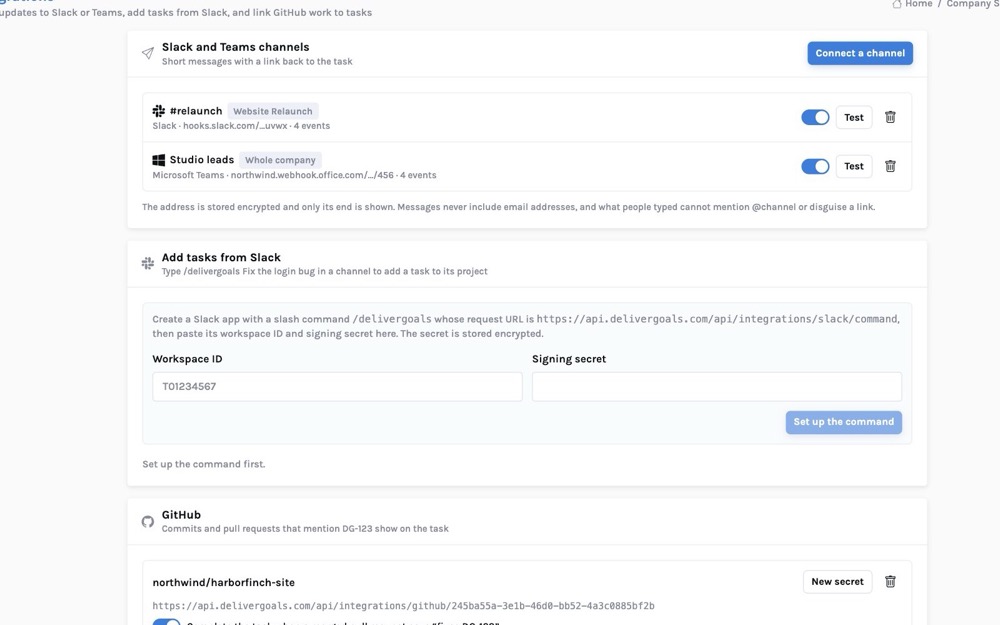
Your team lives in Slack or Teams, your engineers in GitHub, your client in their inbox. DeliverGoals now meets them there: channel messages and a Slack command, commits and pull requests on the task, clients as guests, and boards that update while you look at them.
Time tracking without timesheets: hours where the work is
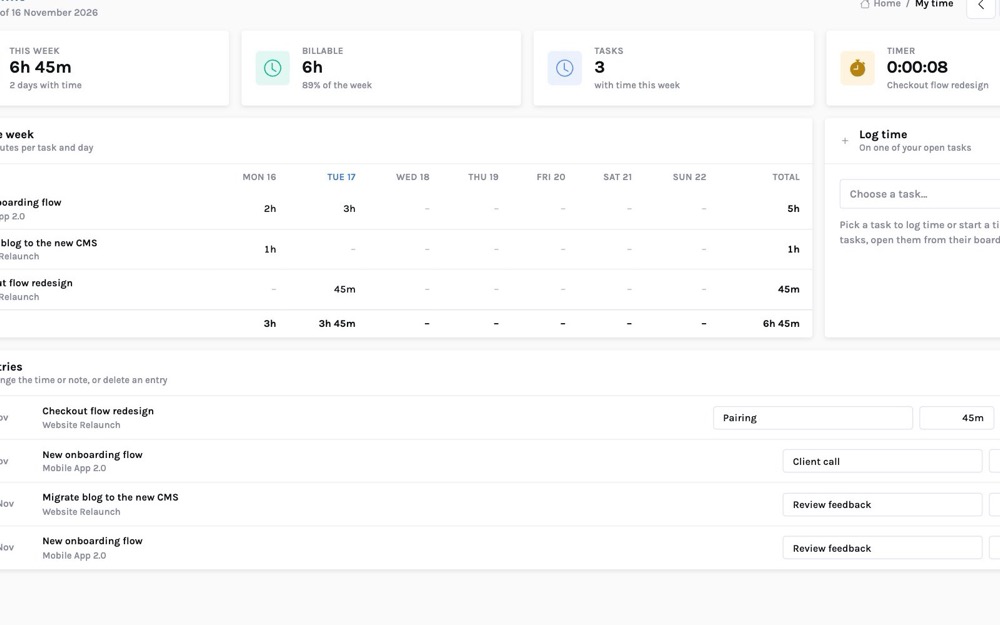
Most teams that run on a board do not need a weekly timesheet. They need to know how long the work took, against what they expected, without anyone filling in a grid on Friday. Here is how time on tasks works in DeliverGoals, with the figures from the demo.
The complete project cycle in DeliverGoals: from the first brief to the last task done
Eight stages, the screen each one happens on, who does it and how often. One worked example across the demo workspace, from a client relaunch started on a board to a brand project brought over from Asana.