A board is only as good as its cards. Most of the trouble on a project comes from tasks that were written in a hurry and never finished being written: no owner, no date, a title that means something only to the person who typed it. This post follows one task through its whole life, so that each field and each habit has a reason.
The task is Checkout flow redesign (DG-31) on the Website Relaunch board in the Northwind Studio demo, a fictional studio. Its owner is Priya Nair; the project manager is Daniel Reyes.
1. Created: get it on the board
A task can arrive four ways: quick add at the bottom of a column (type a title, press Enter), Add task with the full form, the project’s AI assistant (“add a task for the checkout redesign, urgent, for Priya”), or an import from Asana, Trello, Jira or a spreadsheet. The first is the one to use in a meeting: capture now, fill in later.
Write the title as the outcome, in a few words: “Checkout flow redesign” rather than “checkout”. Every task gets a short code (DG-31) so it can be named in a stand-up or a comment without ambiguity.
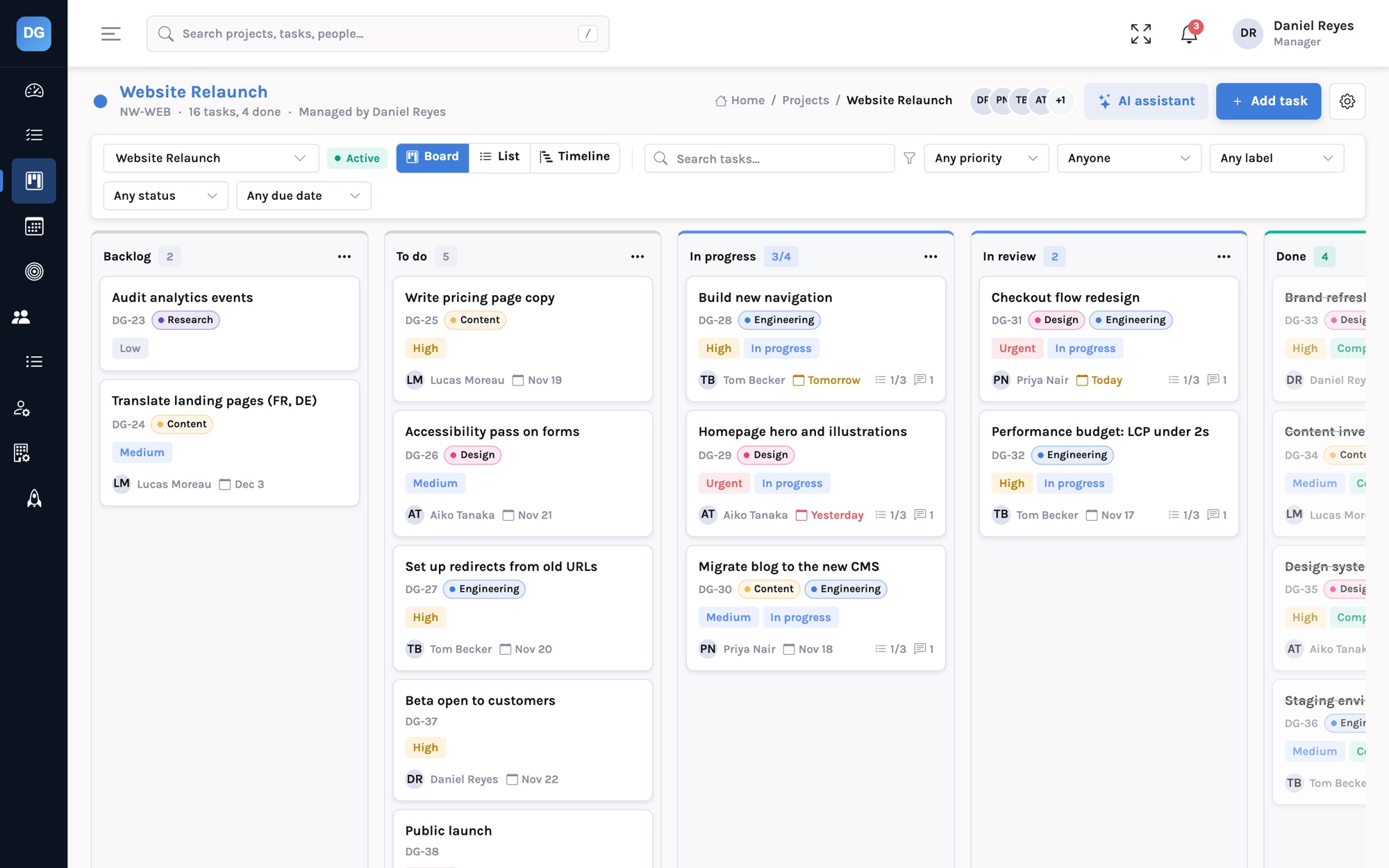
2. Triaged: owner, priority, dates
A captured task becomes a real one when four questions have answers:
| Field | Answer for DG-31 | Why it matters |
|---|---|---|
| Owner | Priya Nair | One person. The task appears in her My tasks and she is told it is hers. |
| Priority | Urgent | It blocks the beta. If everything is urgent, nothing is; keep this rare. |
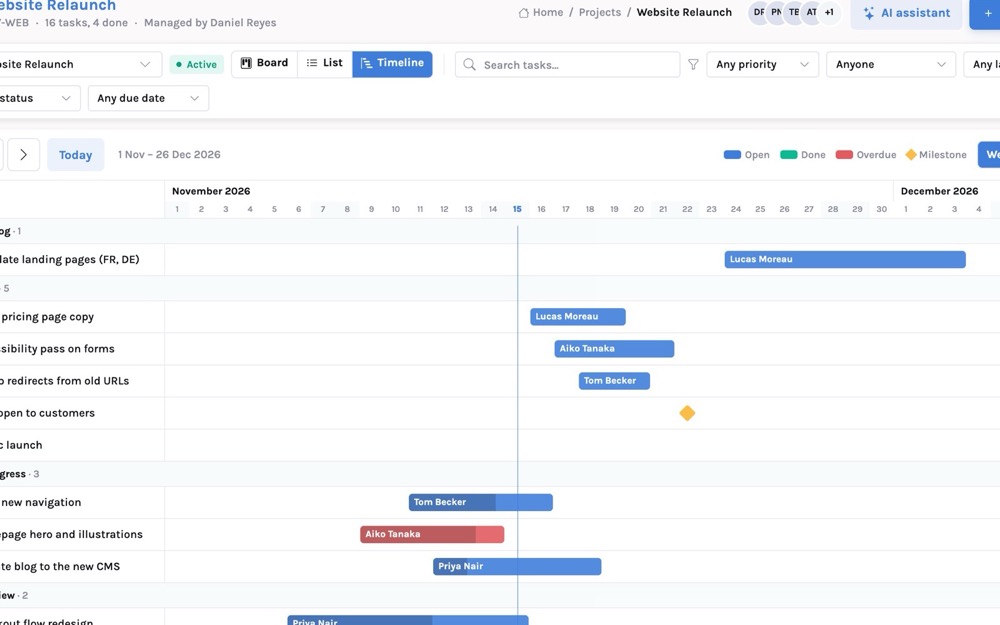
| Start and due | 6 Nov to 15 Nov | Gives the task a bar on the timeline and a place in My tasks and the calendar. |
| Labels and points | Design, Engineering; 8 points | Labels filter the board; points are a rough size, not hours. |
Triage is fastest in the list view, where status, priority, owner and due date are edited in place and several tasks can be changed at once.
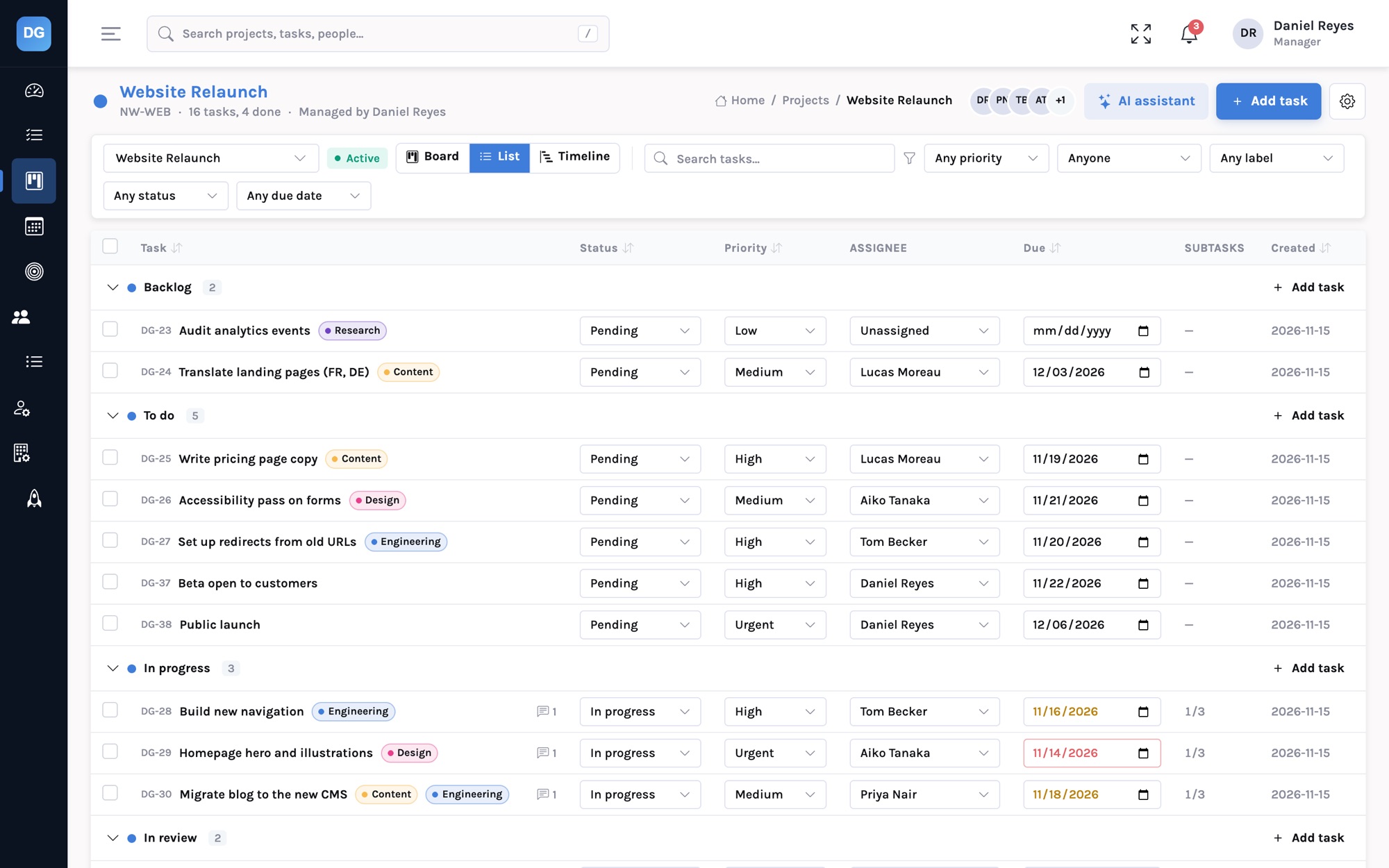
3. Broken down: subtasks
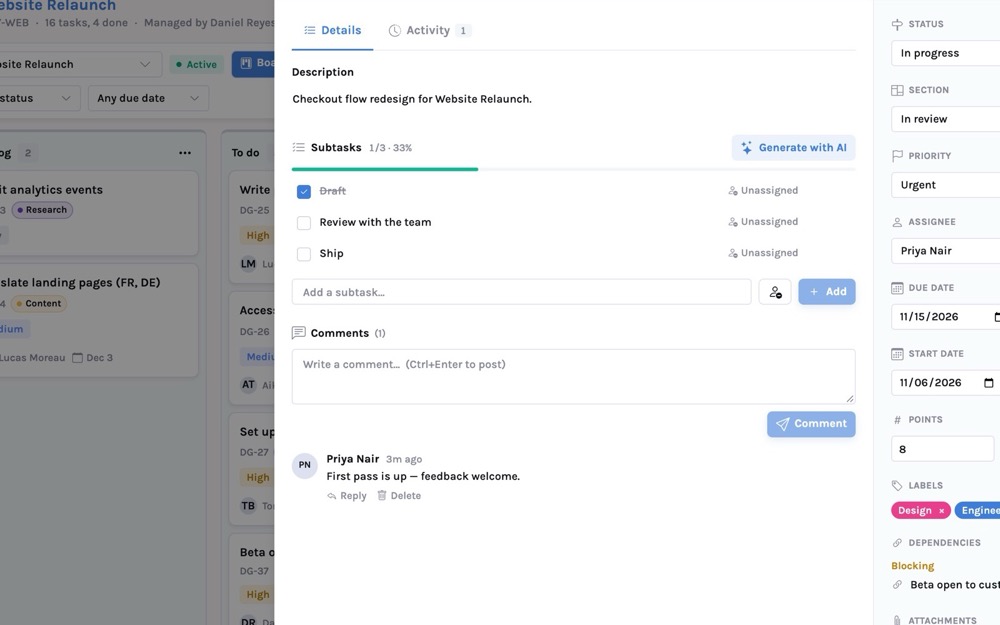
If a task will take more than a few days or has distinct steps, give it a checklist. DG-31 has three subtasks; one is done, so the card shows 1/3. Generate with AI above the list writes a first draft of the steps; delete what does not apply. If a step needs its own owner and date, it is a task, not a subtask.
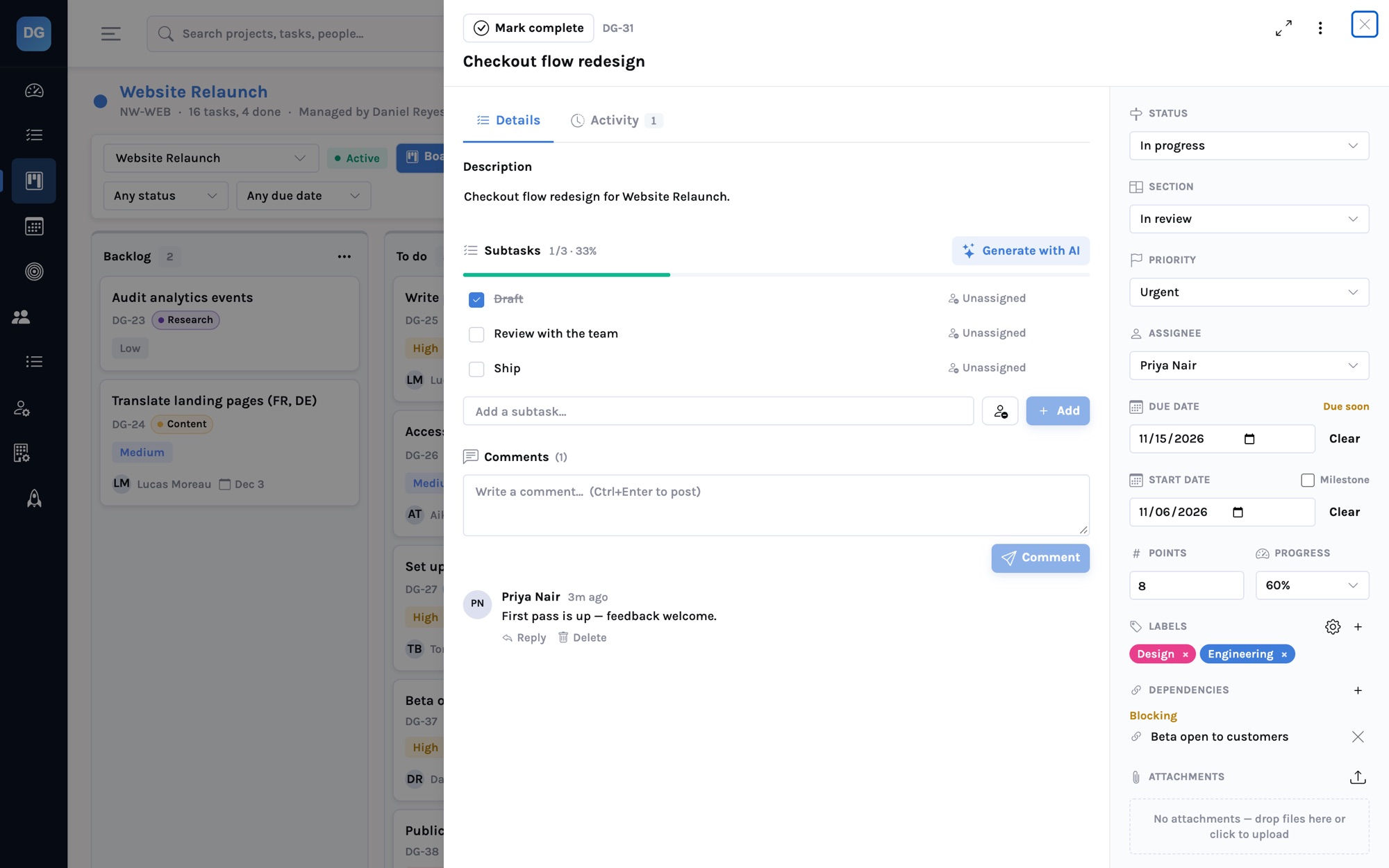
4. Linked: what it holds up
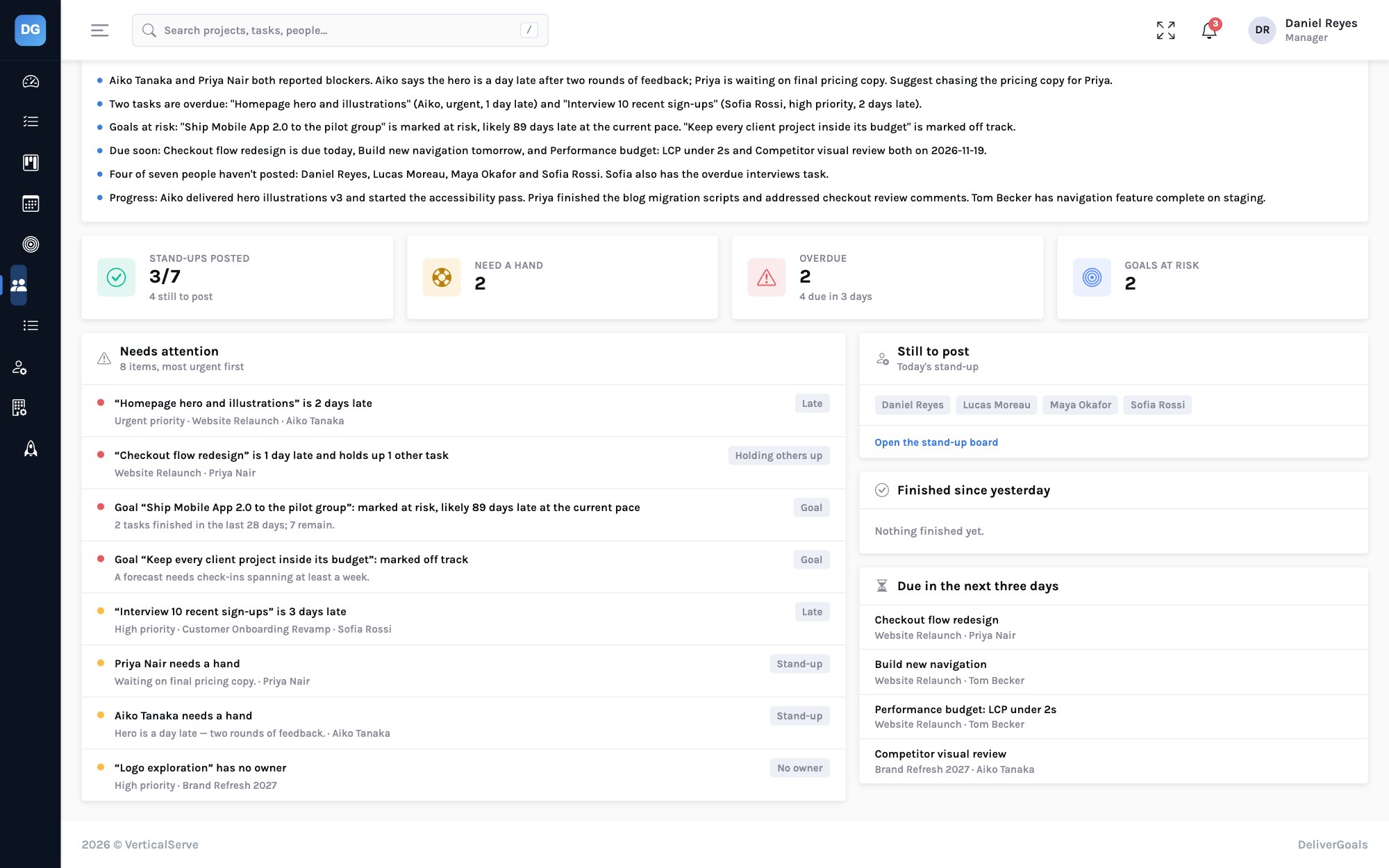
The panel shows Blocking: Beta open to customers. That one line changes how a late redesign is treated. A late task that blocks nothing is a problem for its owner; a late task that blocks a milestone is a problem for the project. DeliverGoals ranks them that way: on the manager’s team brief, “Checkout flow redesign is 1 day late and holds up 1 other task” sits second from the top, above late work that blocks nothing.
5. Worked: comments, mentions, attachments
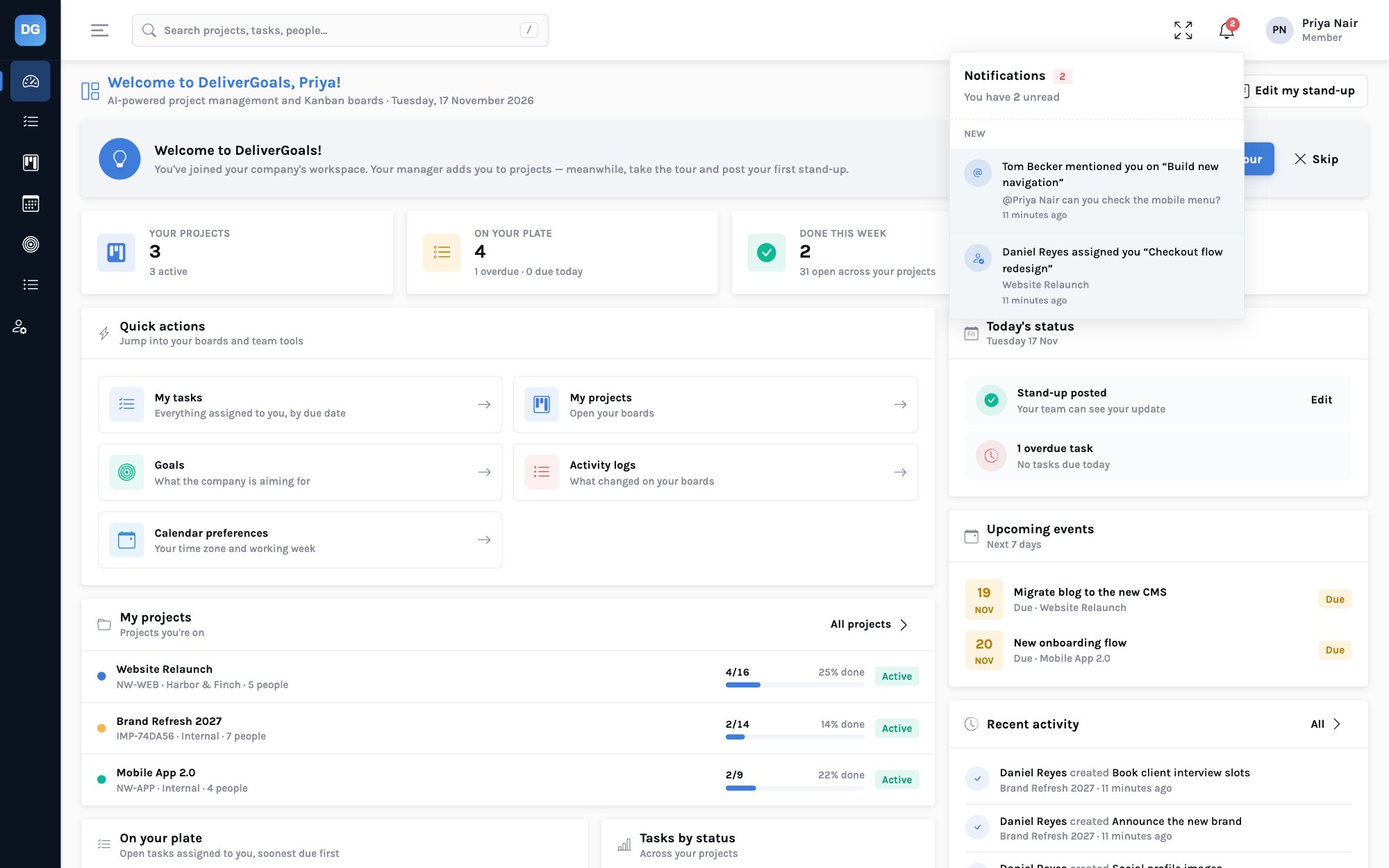
While Priya works, the conversation about the task stays on the task. A comment that names someone with @First Last (or @their address) tells that person; the task’s owner and its creator follow the conversation and are told of new comments too. Files up to 25 MB can be attached; they are checked for type and size and always download rather than open in the browser, so a file someone uploads cannot run in a colleague’s session.
| What happens | Who is told | Who is not |
|---|---|---|
| Task assigned | The new owner | The person who assigned it |
| @mention in a comment | Each person named | The writer |
| Comment added | The task’s owner and creator | The writer, and anyone already told by a mention |
| Task completed | The project’s manager | The manager, if they completed it themselves |
| Added to a project | The person added | The person who added them |
All of these arrive in the app, under the bell. Each person also chooses which of them are emailed a minute later (unless already read in the app), and can have a morning digest of their due work.
6. Reviewed: a second pair of eyes
On Website Relaunch, finished work goes to In review before Done. Daniel or another designer checks it; if something is wrong, the card goes back to In progress with a comment saying what. That backwards move is recorded, and in the weekly review a run of tasks bouncing back from review is worth a conversation.
7. Done
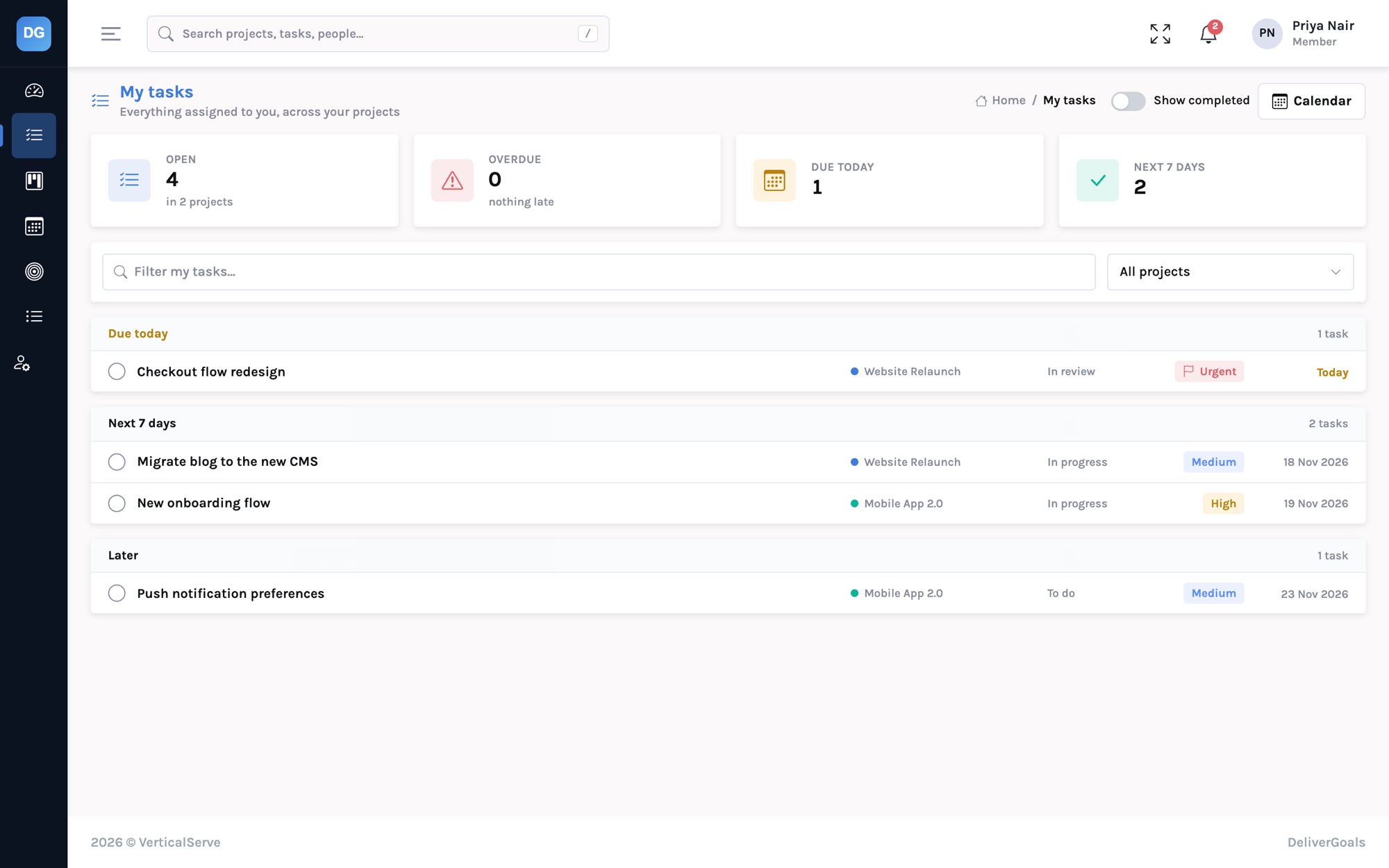
When the task is marked completed (on the board, in the panel, or by ticking it in My tasks), DeliverGoals stamps the completed date, sets progress to 100% and tells Daniel. The task then counts in three places: Finished since yesterday on the next morning’s team brief, the weekly throughput chart in reports, and the progress of any goal whose linked projects include Website Relaunch. Reopening it clears the completed date.
8. History
Everything above leaves a trace on the task’s Activity tab: created, assigned, moved, re-dated, commented, completed, by whom and when. When someone asks in March why the redesign slipped a day in November, the answer is there, not in someone’s memory.
Five ways a task goes wrong, and the fix
| Symptom | What usually happened | The fix in DeliverGoals |
|---|---|---|
| It sits in In progress for two weeks | It was three tasks wearing one title | Split it: keep the first step, move the rest to new tasks with their own owners and dates |
| Everyone thought someone else had it | No owner, or an owner who was never told | Assign one person; they are notified and it lands in their My tasks. The brief lists high-priority work with no owner |
| It was late and nobody knew until the demo | No due date, or a due date nobody looked at | Give it a date; overdue tasks turn red on the board and appear on the team brief the next morning |
| The decision is somewhere in chat | The conversation happened off the task | Comment on the task and @mention the people who need to see it; the history stays on the card |
| It finished, then came back | Done meant “I stopped”, not “it works” | Use an In review column, and write what review found in a comment when a card goes back |
None of these needs a process document. They need the board to make the right thing the easy thing: the owner field next to the title, the date that turns red, the comment box under the description, and a column for review that the team agrees to use.
How much to write on a task
A useful rule: write enough that someone else could pick the task up tomorrow if its owner were off sick. For DG-31 that is two sentences of description (what the new checkout must do, and where the designs are), three subtasks, and the dependency on the beta. More than a screen of description is usually a sign the task should be a small project, or that the detail belongs in an attached document.
A good task, in one line
One owner, an outcome for a title, a due date, a priority used sparingly, a checklist if it has steps, a link to what it blocks, and the conversation kept on the task.
The same task is one small part of the full cycle described in the complete project cycle. Breaking work down with the assistant is covered in using the AI assistant to break work down, and every field is on Boards, lists & tasks.